
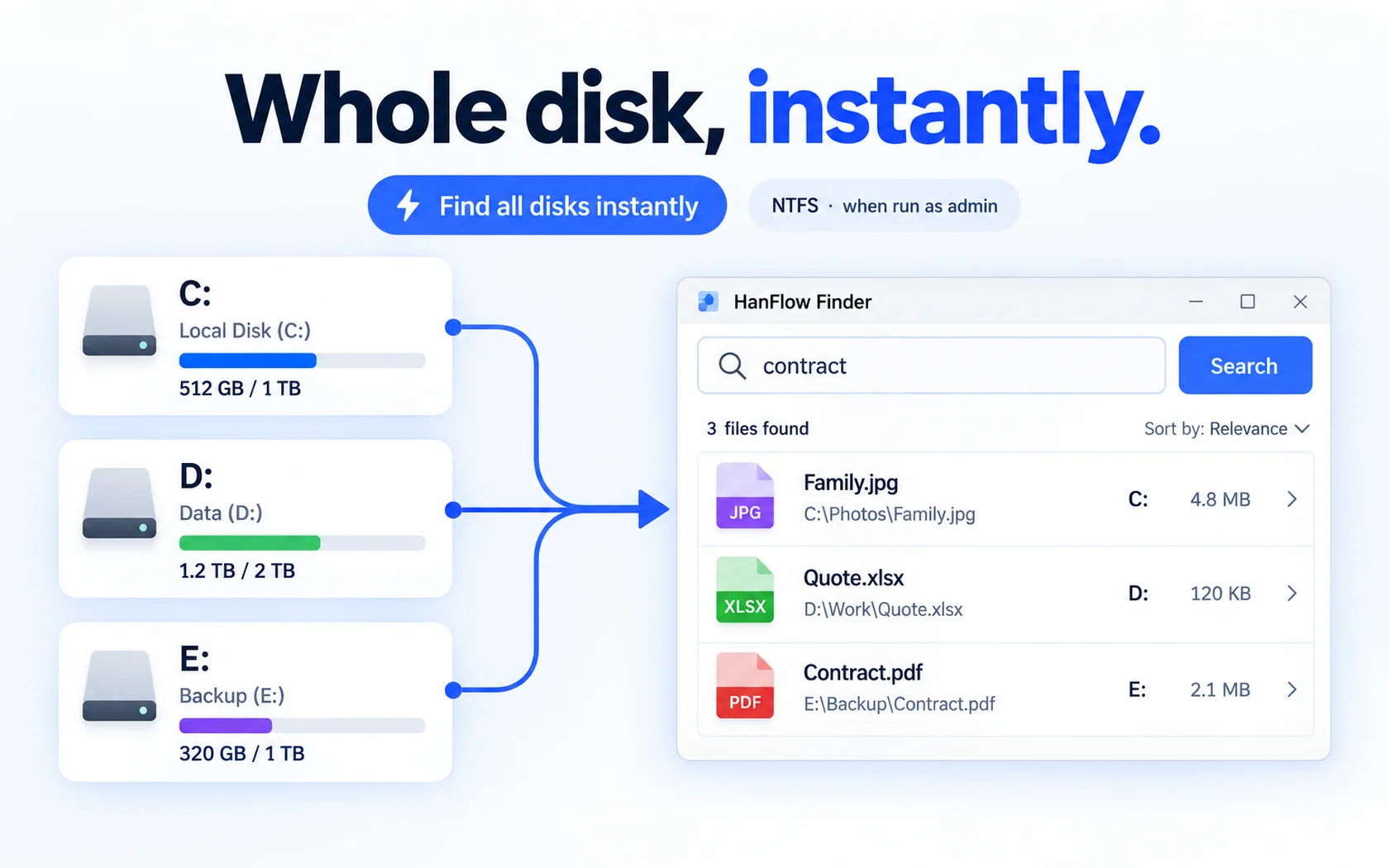
If you want an Everything search alternative that finds files by name as you type and also lets you move and organize them from the results, HanFlow Finder is one option: it searches all local NTFS drives instantly, updates as files change, supports wildcards and regular expressions, and lets you drag files into folders with undo. Below is what each tool offers, based on their own pages, so you can choose for yourself.
What Everything is good at
Everything, from voidtools, is built to locate files and folders by name instantly. Its page lists a small installation file, a clean and simple interface, quick filename indexing, quick searching, minimal resource usage and real-time updating (voidtools). It is a well-known choice for fast filename search on Windows. People who look for an alternative often want to act on the results right away, such as moving files into folders, or want the same kind of tool on a Mac.
What HanFlow Finder does
- Results as you type: the list narrows with every letter.
- All drives at once: searches every local NTFS drive instantly when run as administrator.
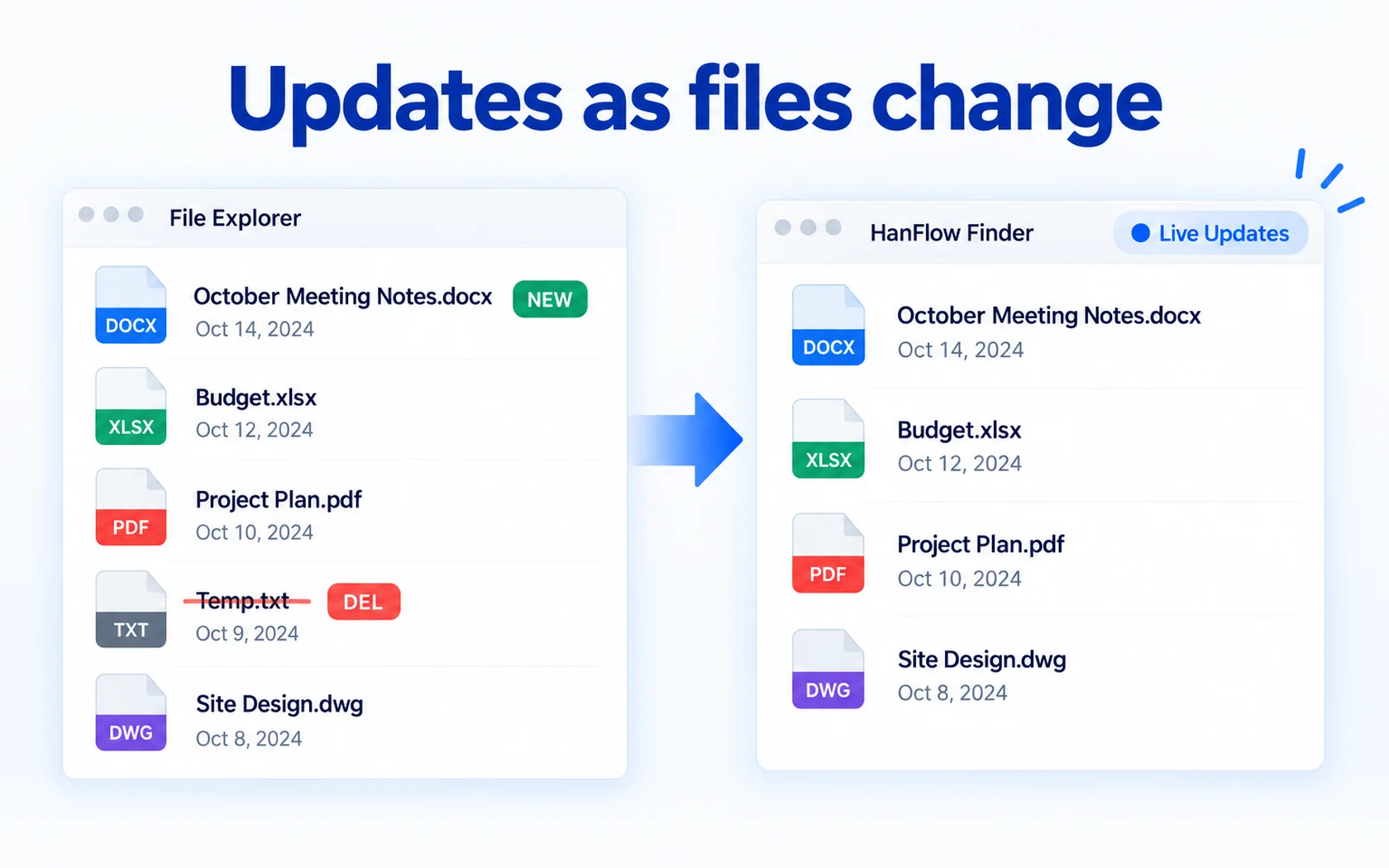
- Live updates: new, renamed and deleted files show up without a rescan, and this part does not need administrator rights.
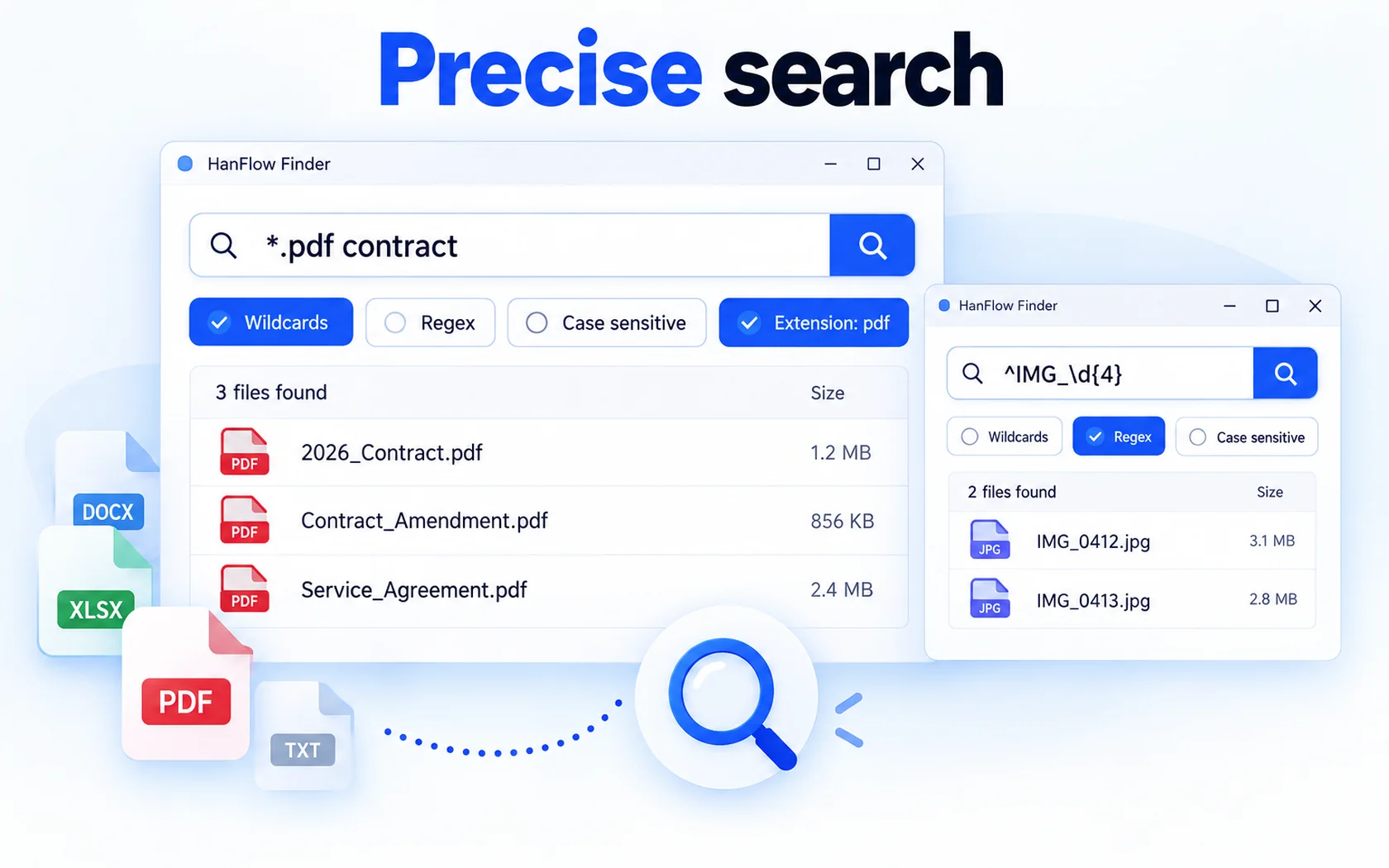
- Precise search: wildcards, regular expressions, case-sensitive search and an extension filter.
- Group by folder to see where matching files live.
- Right-click a result to get the same menu as in File Explorer.
- No ads, no sign-in, 26 interface languages.
Organize from the results
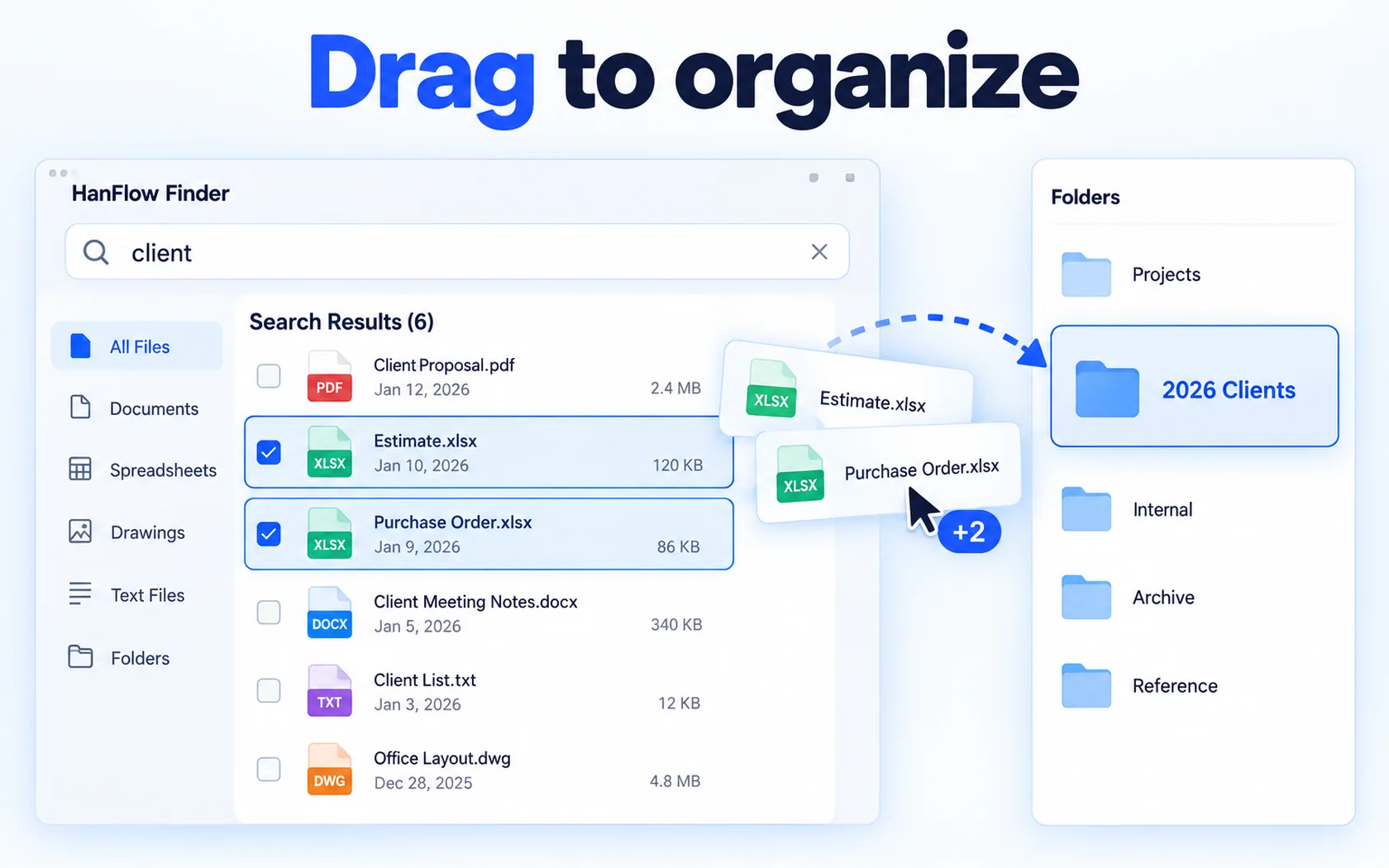
Select files or folders in the results and drag them into a folder. If you change your mind, undo the move, and redo it if needed. This turns a search into a quick clean-up: find every file for one client, then move them into that client's folder in one step.
Which one to choose
- Choose Everything if you want a long-established, lightweight filename search for Windows.
- Choose HanFlow Finder if you want to search and then move files with drag and undo in the same window, with regular expressions and an extension filter.
- If you also work on a Mac, HanFlow Finder has a Mac version for macOS 13 or later on Apple silicon.
Trial and license
HanFlow Finder has a 30-day trial with every feature. See pricing for current licenses.
Frequently asked questions
Does HanFlow Finder search inside files?
No. It searches file and folder names, not the contents of files.
Does it search network drives or USB drives?
No. It searches fixed local drives only.
Can I undo a move?
Yes. Moves made by dragging from the results can be undone and redone. On FAT or exFAT drives, undoing a folder move is not supported.
Does it need administrator rights?
Instant search of whole NTFS drives needs administrator rights. Live updates work without them.