
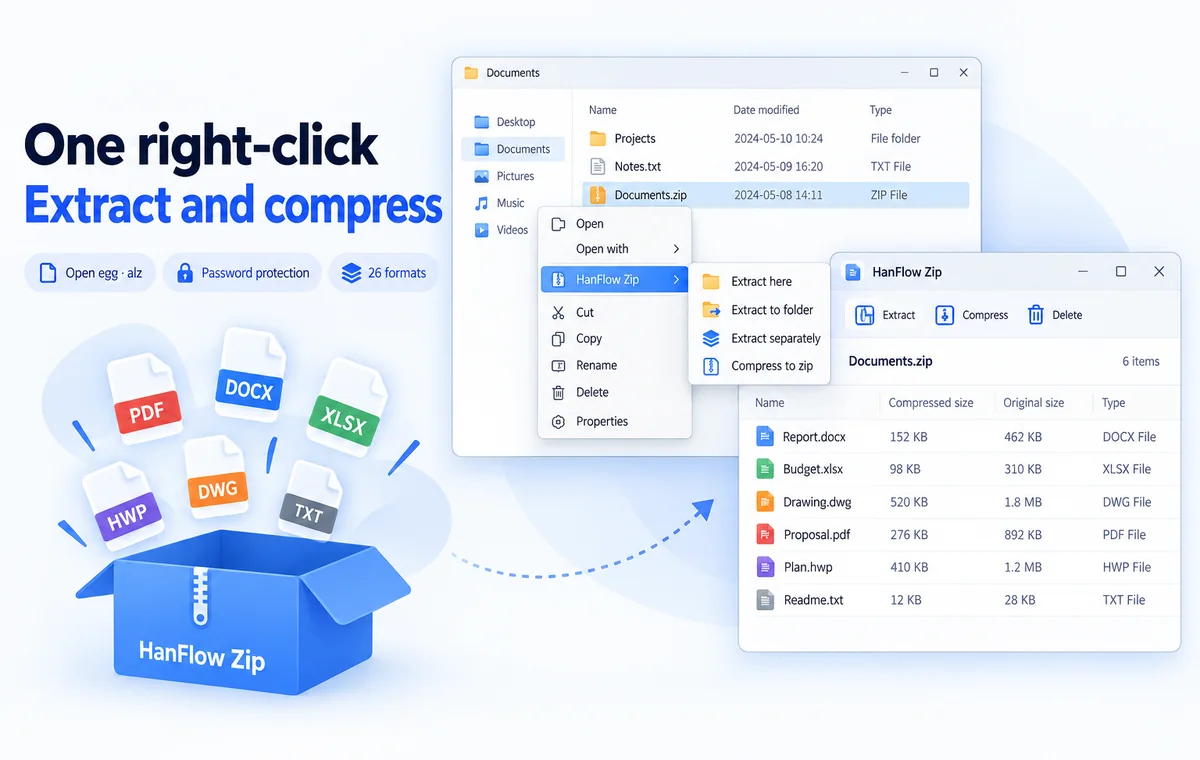
Extract and compress
with one right-click
Extract and compress with a right-click in Explorer. Look inside, search, and drag out just what you need — without extracting.
Features
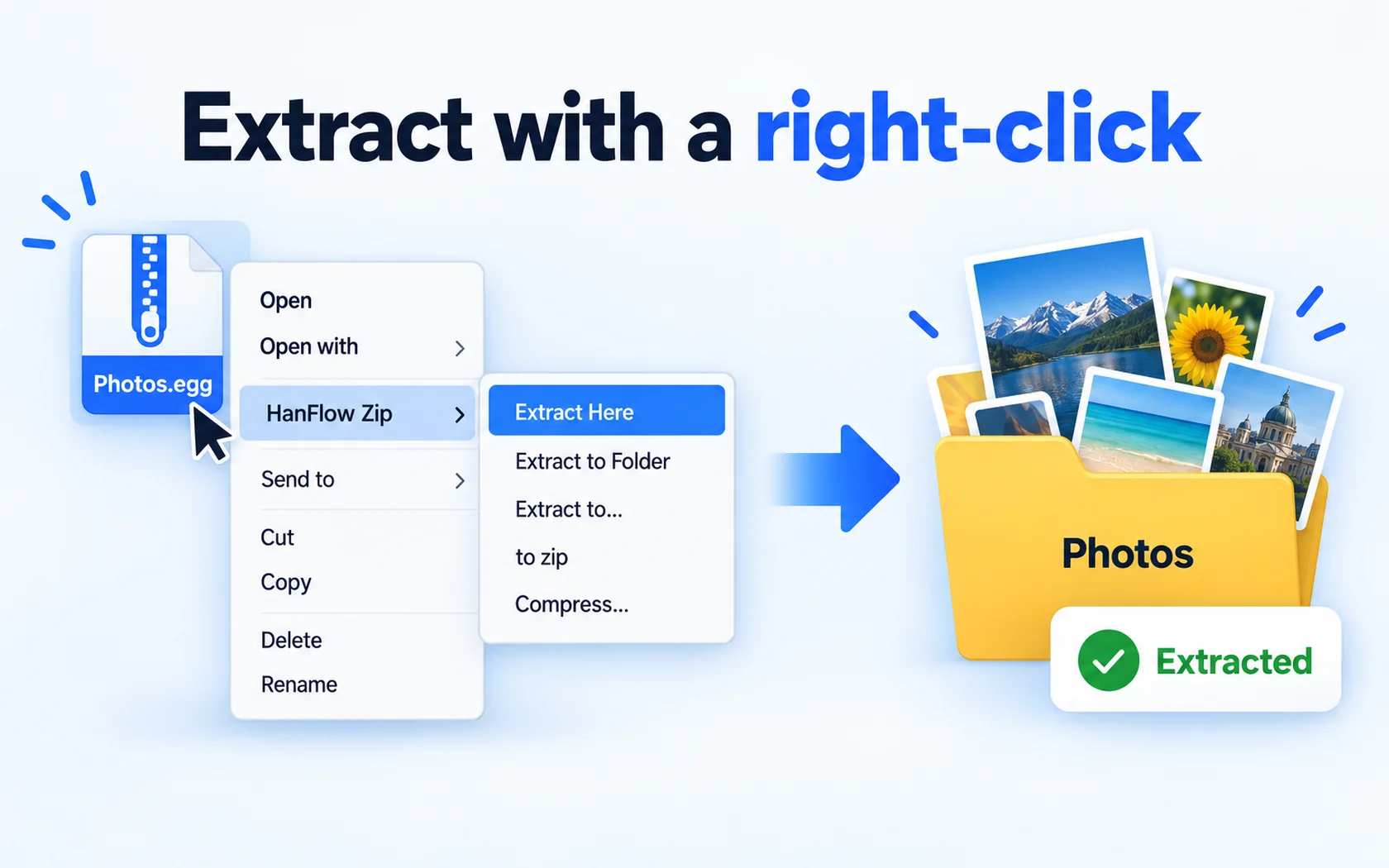
Extract with a right-click
Explorer right-click — Extract here · Extract to folder · Extract each separately · Add to zip · Compress each separately
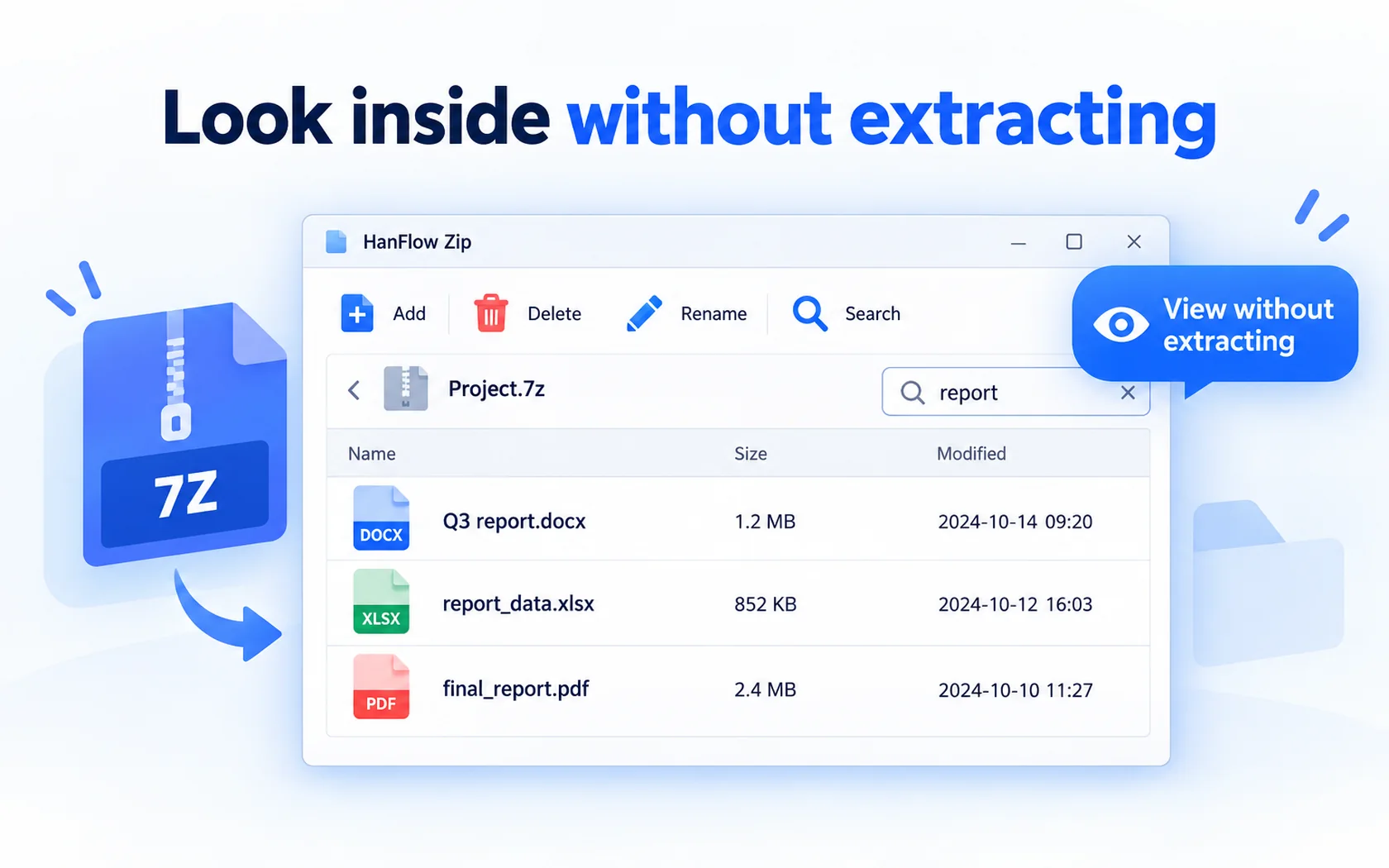
Look inside without extracting
Browse without extracting · search · add · delete · rename
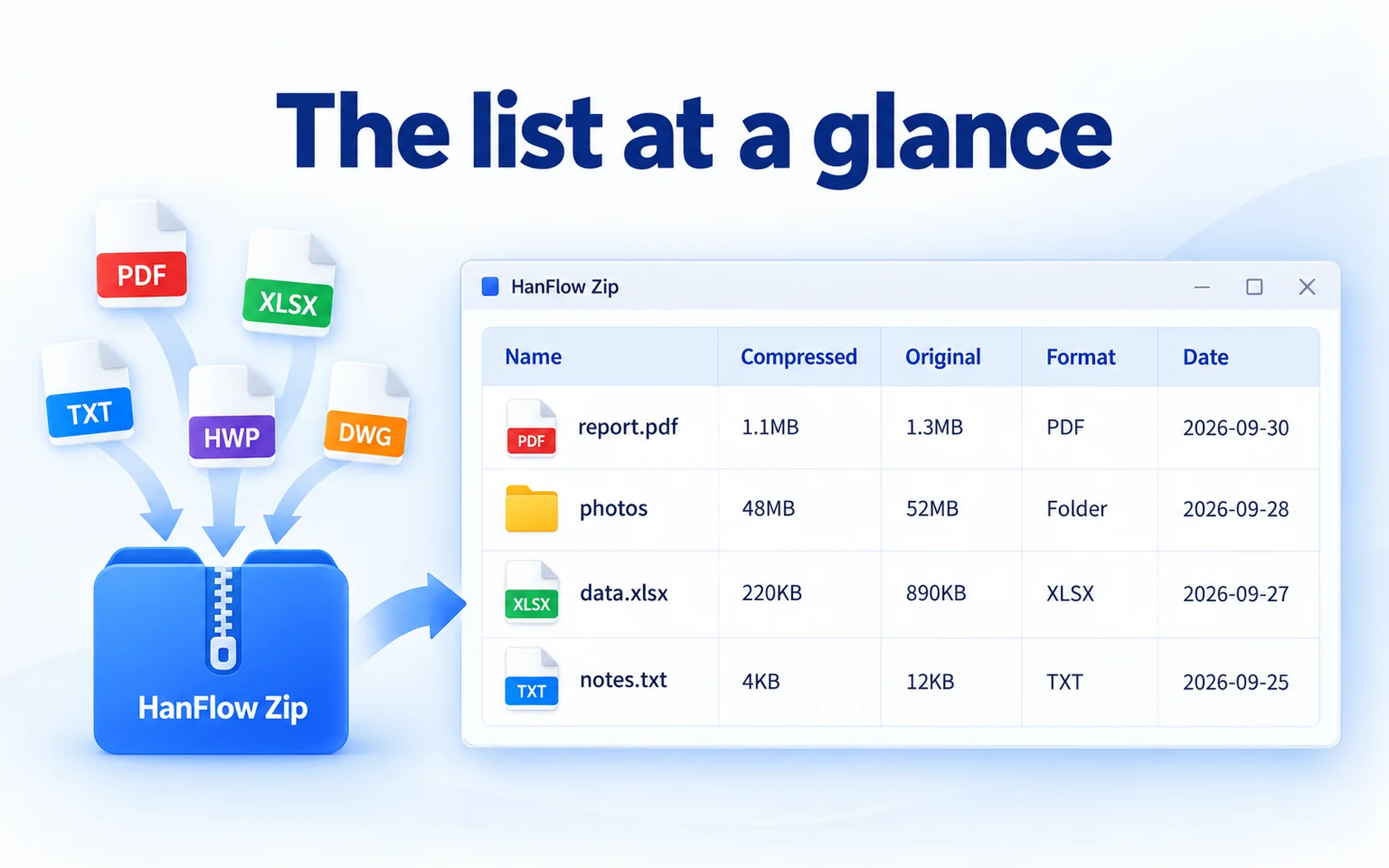
The list at a glance
Name, compressed size, original size, type and date at a glance
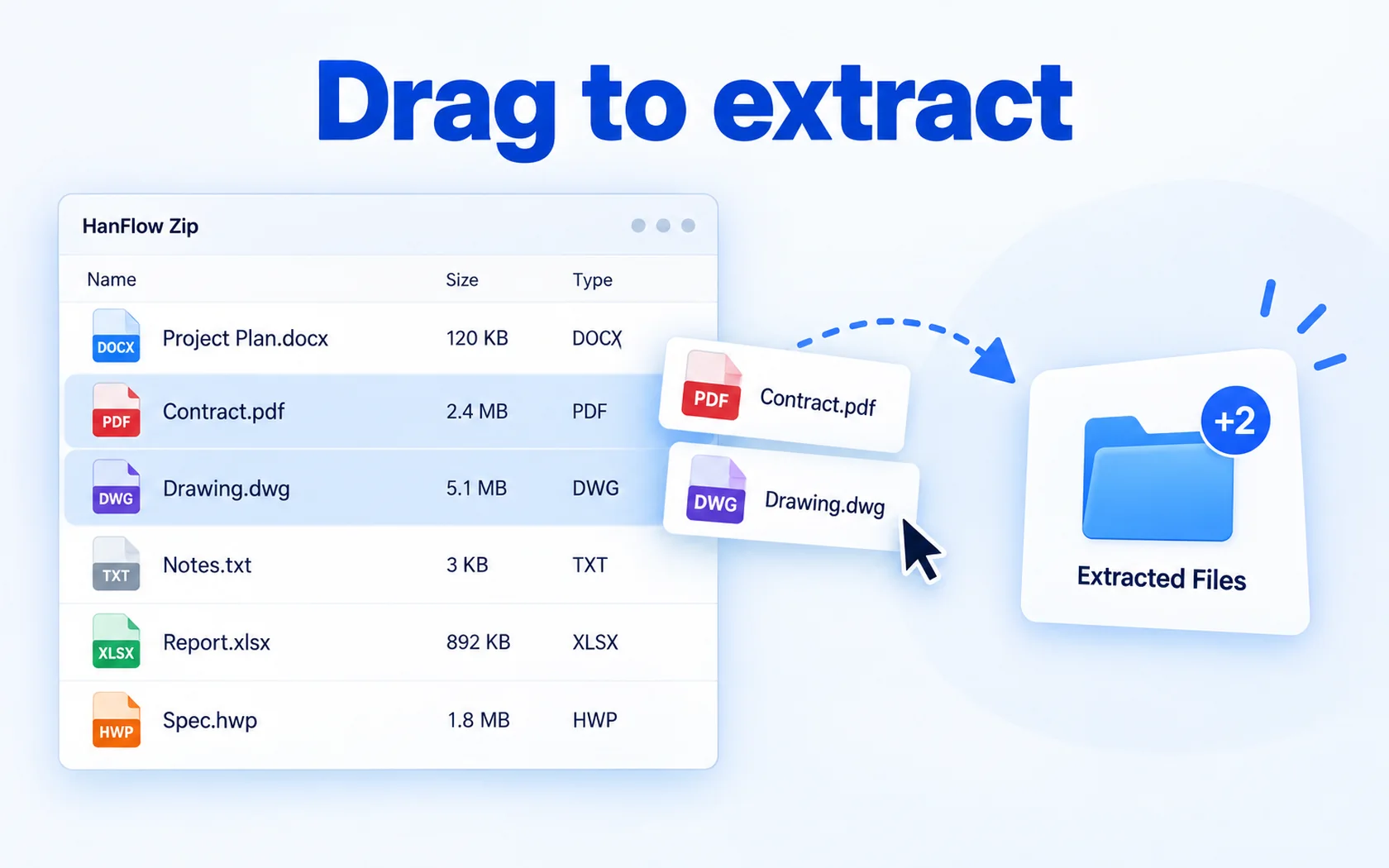
Drag to extract
Drag files and folders out
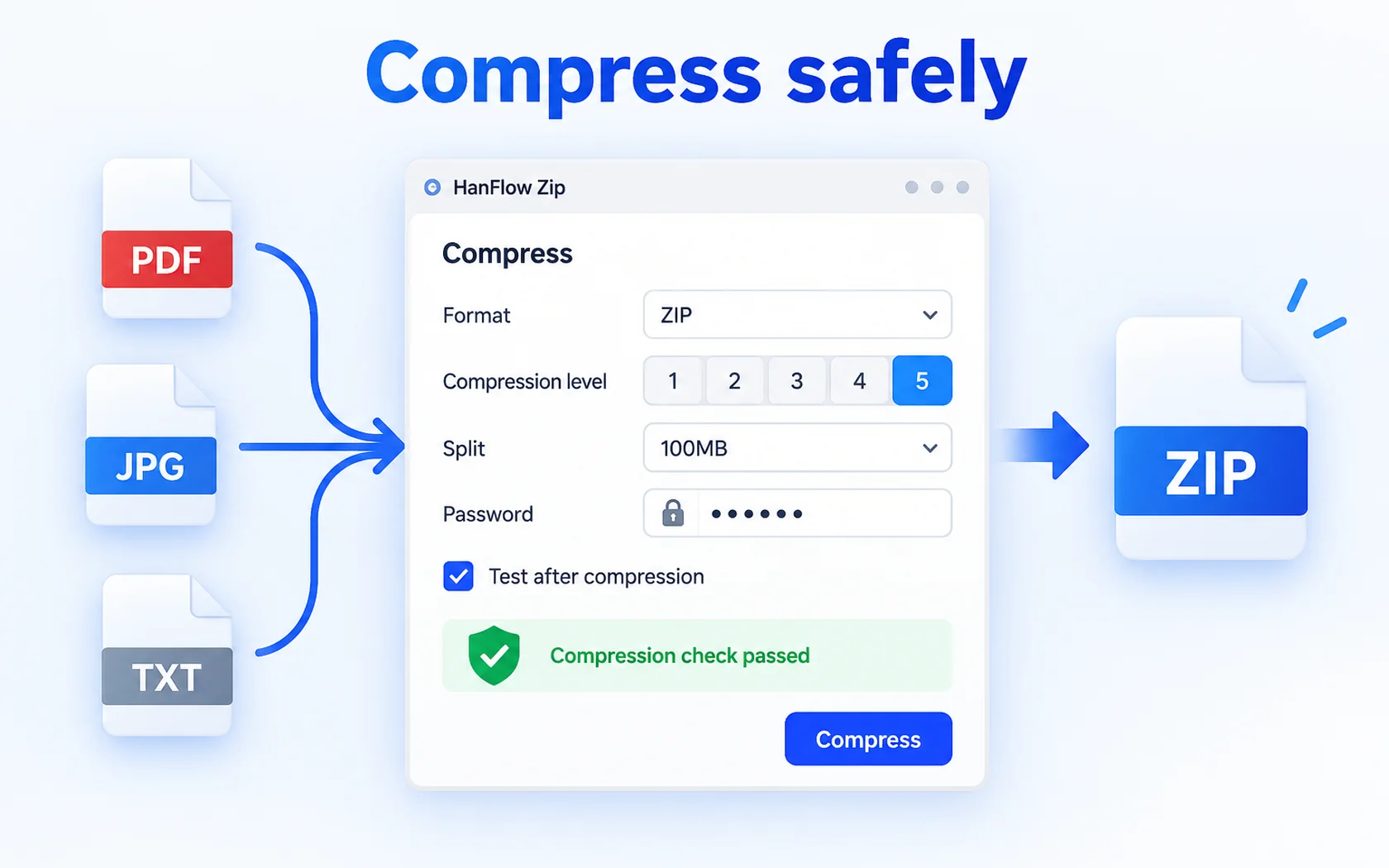
Compress safely
Archive testing · 5 compression levels · split · password · test after compression
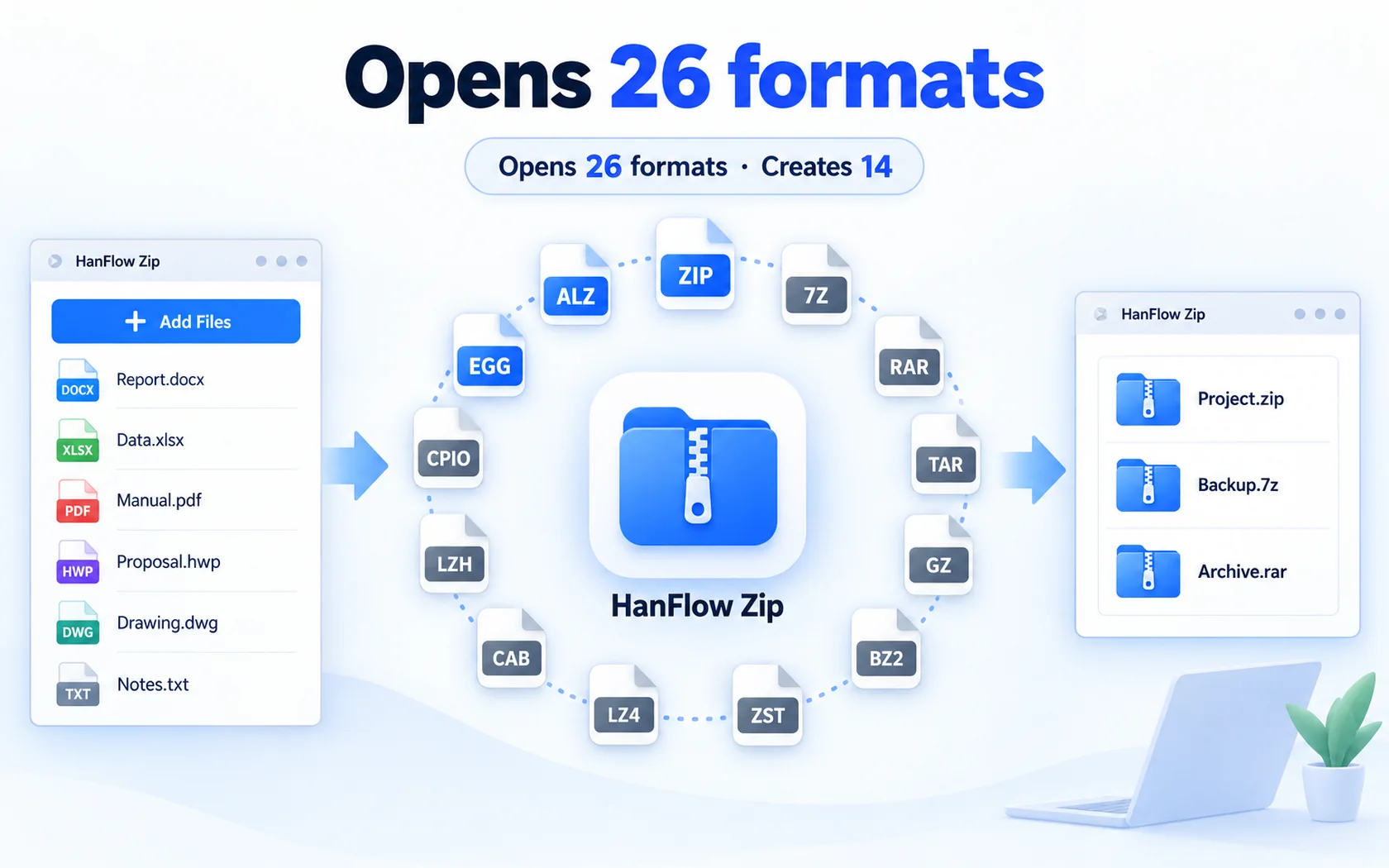
Opens 26 formats
ZIP · 7Z · RAR · TAR · GZ · BZ2 · XZ · ZST · LZ4 · CAB · ISO · LZH · CPIO · EGG · ALZ …
 Archive test
 Compression level
 Split
 Password
 Drag to extract
 Search

30-day trial
Use every feature for 30 days from the day you install. No payment method required.
FAQ
What happens when the trial ends?
You can still open, view, play and extract existing files. Only creating new captures and saving, exporting or compressing are locked — and a purchase prompt appears when you try.
Supported formats
| Open (26 formats) | ZIP · 7Z · RAR · TAR · GZ · BZ2 · XZ · ZST · LZ4 · CAB · ISO · LZH · CPIO · EGG · ALZ … |
|---|---|
| Create (14 formats) | ZIP · 7Z · TAR · TAR.GZ · TAR.BZ2 · TAR.XZ · TAR.ZST · TAR.LZ4 · ISO · CPIO · GZ · BZ2 · XZ · ZST |
| Password | ZIP(AES-256 · AES-128 · ZipCrypto) |
| Split | .001 style |
| Operating system | Windows (64-bit) · macOS 13 or later (Apple silicon) |
EGG, ALZ and RAR can be extracted only. Password-protected EGG and ALZ archives cannot be extracted.
Which versions of Windows are supported?
For 64-bit Windows, and there is also a version for macOS 13 or later (Apple silicon Macs).