
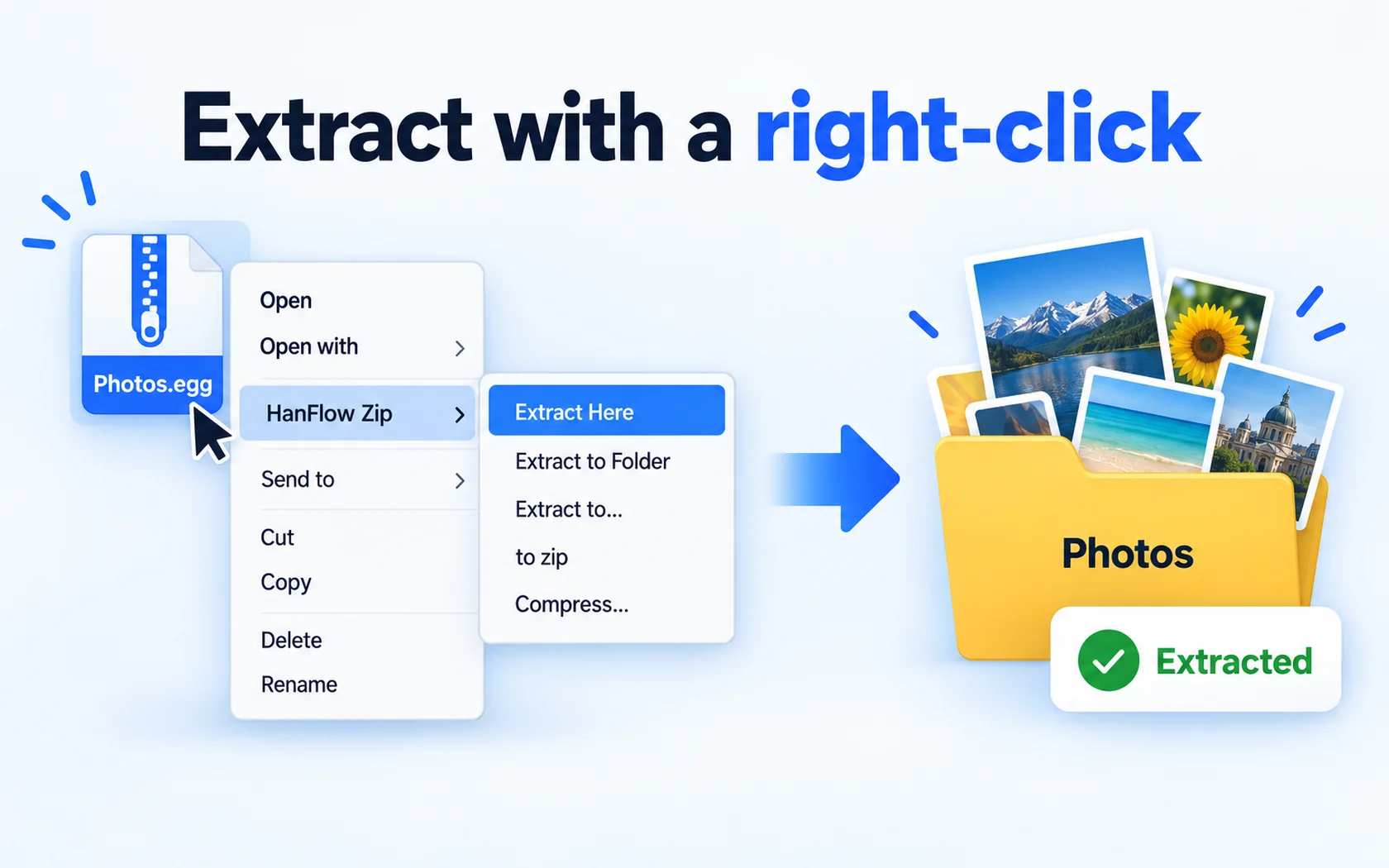
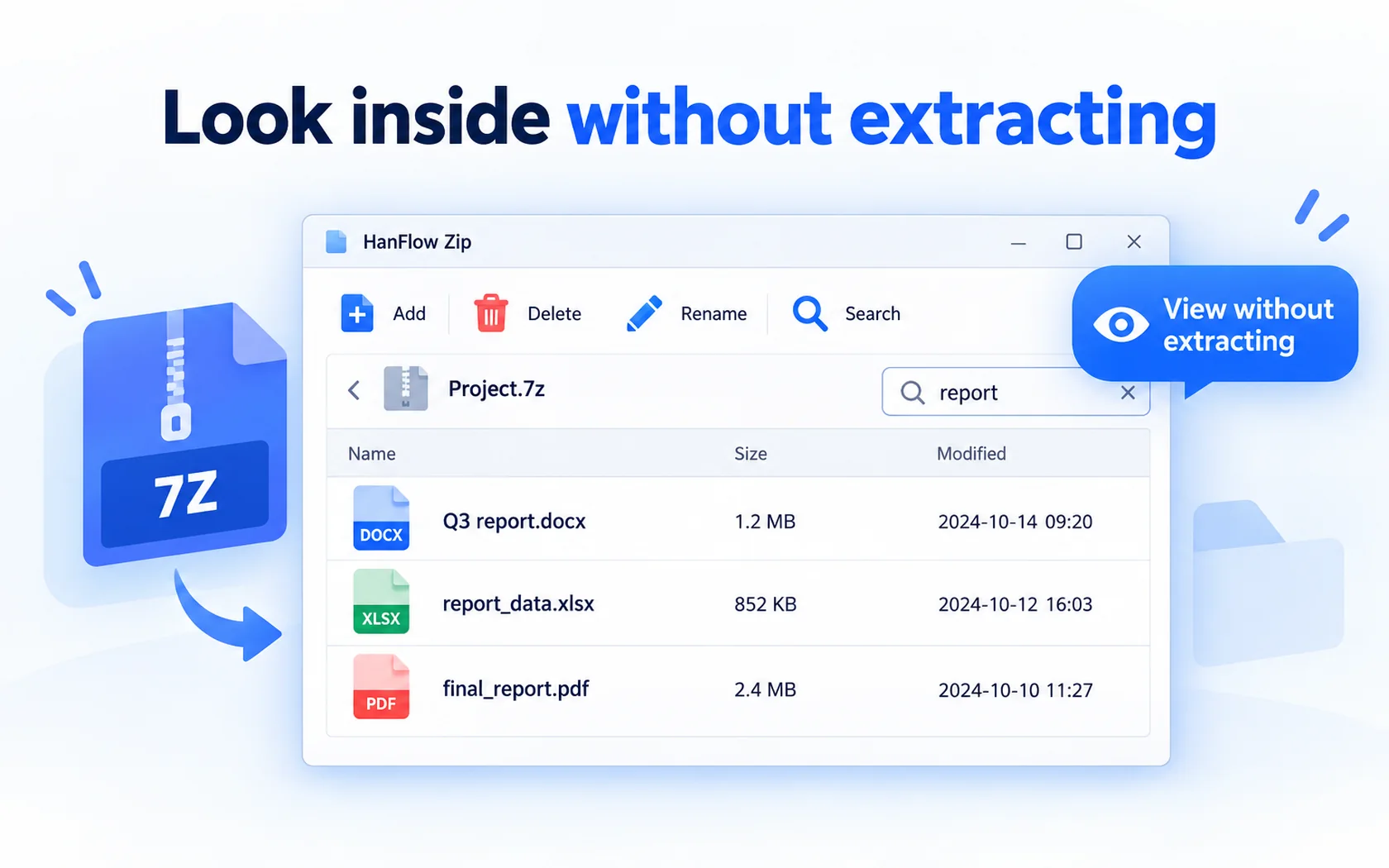
If you are looking for a 7-Zip alternative, HanFlow Zip is one option: it extracts and compresses from the right-click menu, lets you look inside an archive without extracting, opens 26 formats including 7z, rar, egg and alz, and also runs on Apple silicon Macs. Below is what each tool offers, based on their own pages, so you can choose for yourself.
What 7-Zip offers
7-Zip is open-source software; most of its code is under the GNU LGPL. Its home page says you can use it on any computer, including in a commercial organization, at no cost and without registering. It packs and unpacks 7z, XZ, BZIP2, GZIP, TAR, ZIP and WIM, and unpacks a long list of other formats such as RAR, CAB, ISO, DMG and VHD. The page lists Windows versions as supported systems (7-zip.org).
If you only use Windows and want an open-source archiver that opens almost anything, 7-Zip is hard to argue with.
What HanFlow Zip does
- Right-click in Explorer: Extract here · Extract to folder · Extract each separately · Add to zip · Compress each separately.
- Look inside without extracting: browse, search, add, delete and rename inside an archive, then drag out only the files you need.
- Opens 26 formats, including zip, 7z, rar, tar, gz, iso, egg and alz, and creates 14, including zip, 7z and tar variants.
- Compress safely: five compression levels, split archives, ZIP passwords (AES-256) and a test after compression.
- No ads, no sign-in, 26 interface languages.
What HanFlow Zip does not do
HanFlow Zip opens fewer formats than 7-Zip's unpack list. Passwords are supported for ZIP archives, not for 7z, and rar, egg and alz are extract-only. If you rely on any of these, keep 7-Zip for those jobs.
Windows and Mac
HanFlow Zip runs on 64-bit Windows and, as a window app, on macOS 13 or later on Apple silicon. If you move between a Windows PC and a Mac, you can use the same archiver on both.
Trial and license
HanFlow Zip has a 30-day trial with every feature, and no payment method is needed to start it. After the trial you can still open, view and extract existing archives; creating new archives is what needs a license. It is sold as a perpetual license — see pricing for the current price.
Which one to choose
- Choose 7-Zip if you want open-source software at no cost, the widest unpack list, or 7z passwords.
- Choose HanFlow Zip if you want a right-click archiver with a look-inside window and no ads, plus the same app on an Apple silicon Mac, and you open egg or alz files.
Frequently asked questions
Can HanFlow Zip open 7z files?
Yes. It opens and creates 7z, and also opens rar, tar, iso, egg and alz among 26 formats.
Can HanFlow Zip put a password on a 7z archive?
No. Passwords are supported for ZIP archives (AES-256), not for 7z.
What happens after the 30-day trial?
You can keep opening, viewing and extracting archives. Creating new archives needs a license.